Knowledge management in the AI era: Who owns your know-how?
Knowledge management with AI: why outdated pages and open permissions surface, and where an AI assistant really processes your company's knowledge.


In a 2026 Bitkom survey conducted amongst select German companies, 22 percent of businesses using AI named internal knowledge management as a use case, up from 11 percent a year earlier. The obstacle they cited most often was data protection.
Microsoft Copilot shows why that concern matters. For EU and EFTA tenants created after March 25, 2026, a feature called "flex routing" is on by default. Data stays stored in the EU, but during peak demand the language model can run in the US, Canada or Australia. Where your knowledge is stored doesn't determine where AI processes it.
Processing location is one concern. The knowledge itself raises others: an assistant can present an outdated policy with the same confidence as the current version, or surface sensitive pages that have been accessible to everyone for years but rarely read.
Introducing AI knowledge management therefore means reviewing the content employees will receive, the permissions that govern access and the providers handling it. To make those decisions, you need to understand what happens between a question and an answer. This article follows that process: how an assistant retrieves information from your wiki, where it sends that content and what to check before rollout.
Key takeaways
Outdated pages can turn into answers that sound current
AI assistants combine several wiki pages into a response. In doing so, it can make an old policy sound like current guidance, without drawing attention to when the source was last reviewed or who is responsible for it.Pages shared too widely show up in answers
Even an assistant that correctly follows access permissions can surface sensitive content shared too widely.Where your wiki is stored doesn't tell you where AI processes your knowledge. What matters is where the index (the copy of your content the AI uses), the language model and the logs sit.
Local AI pays off mainly for content that must not leave your network. It takes your own hardware and staff to run it.
Compare vendors by the control they give you
Seven questions help you assess AI knowledge management providers, including whether the vendor can switch the language model without your consent, whether new AI features get switched on automatically and which law applies to the model provider.A first pilot doesn't require auditing the entire wiki
Start with a few selected spaces and exclude pages that haven't changed in a long time.
What is knowledge management?
Knowledge management covers everything an organization does to capture, organize, share and maintain its knowledge. The goal is that employees find reliable information and put it to use, even when the person who documented it has left.
Knowledge management usually rests on three pillars: people, organization and technology. People contribute and use knowledge. The organization decides who is responsible for which content. Technology provides the place where knowledge lives, in many companies a wiki such as Confluence.
In many wikis that have grown over the years, the technology works better than the organization. Nobody feels responsible for a large share of the pages. As long as people searched for themselves, that hardly mattered. AI changes that.
AI knowledge management: what changes
How an AI assistant reads your wiki
Retrieval augmented generation, or RAG, is a common approach to connecting an AI assistant to company knowledge. In a typical index-based setup, it works in three steps:
Index: The selected wiki pages are prepared for search, usually by splitting them into smaller sections. The system stores the searchable text and metadata, often together with embeddings. These are numerical representations that help it find passages with similar meaning.
Retrieval: When someone asks a question, the system looks for relevant sections using semantic search, keyword search or both.
Answer: The best-matching sections go to a language model along with the question, and the model uses them as context to write its response.
None of this retrains the language model. The index, however, stays in place. It's a second, permanently stored copy of your wiki content. And it isn't automatically up to date: if someone edits a page, answers may still draw on the old version.
Two effects follow from this.
Outdated pages can lead to wrong answers
Imagine an employee in your team asks an AI assistant which travel expenses they can claim. The assistant finds a policy from 2021 and turns its rules into a clear, confident answer, even though a newer policy has replaced it. On the wiki page, the employee should have noticed the date or checked who last updated it. In the answer, that clue is gone.
Finding a relevant page doesn't mean its guidance still applies, and that's a practical problem for AI knowledge management. Germany's data protection authorities (DSK) address this in their guidance on RAG systems: incomplete or outdated source material leads to incorrect outputs. The organization must therefore check its reference documents regularly. For your wiki, that means every page needs an owner and a review date.
Overly broad permissions become visible
An AI assistant generally respects existing permissions. In the case of Microsoft for example, it states for Copilot that only content a person has at least view access to is surfaced. But that also means every page shared too widely can show up in an answer. Until now, poor findability protected those pages. That's why Microsoft's own Copilot deployment guidance starts by cleaning up overshared content.
The DSK notes that the language model itself can't control who may access which information. A permission and role model therefore has to take effect at the index and the documents.
Extra safeguards only help if they work. In Microsoft 365, a sensitivity label and a data loss prevention (DLP) policy are meant to keep content out of Copilot. In early 2026, a code error bypassed this safeguard. Copilot Chat summarized emails labeled confidential from users' own Sent Items and Drafts, although the label and the policy were in place. After the bug was first reported, it took about four weeks until the fix had reached all enterprise customers.
In many cases, though, the fault isn't with the AI. If an HR page that everyone has been able to read for years shows up in an answer, the fault lies in the permissions.
Semantic search or a generated answer?
Not every team needs an assistant that writes answers. A semantic search finds pages by meaning: someone searching for "claim a business trip" also finds the "travel expense policy." It returns a list with title, date and author, so employees can still see how old a policy is.
A generated answer saves the reading but hides that information. It's most useful when a question spans several pages. For data protection, the choice changes little: semantic search also needs an index.
Where your knowledge ends up when AI reads it
Where an AI assistant processes your wiki content depends on where the index, the language model and the logs sit. Where the wiki is stored doesn't answer that on its own.
Five things are involved in every answer:
Index: a permanent copy of your content, stored wherever the AI service runs.
Question: it goes to the language model.
Context: the matching sections from your pages go to the model with the question.
Answer: it comes back and is often stored.
Logs: many services store questions and answers. Atlassian, for example, keeps Rovo Chat and agent inputs and outputs for 30 days.
The language model matters too. Many tools don't run their own model. They send the question and the page sections to a model provider:
Microsoft 365 Copilot can also use models from Anthropic. These currently run outside Microsoft's EU Data Boundary, so they're switched off by default in the EU, the EFTA countries and the UK (as of November 2026). Microsoft plans to bring them into the boundary starting in December 2026.
Atlassian Rovo uses its own open models and models from OpenAI, Anthropic and Google. Atlassian's data residency documentation doesn't say where these models process a request. What you can switch off in Rovo is covered in our post on shadow AI by update.
There are three basic operating models:
Vendor's AI in the vendor's cloud | Your own language model via your own endpoint | Local model in your own data center | |
|---|---|---|---|
Example | The assistant that ships with the wiki tool | A model in a European cloud or on Azure OpenAI | An open model on your own servers |
Where the model runs | Wherever the vendor runs or buys it | In the region you choose with the model provider | Inside your network |
Where index and logs sit | With the vendor | With the vendor or with you, depending on the tool | With you, if the tool runs with you too |
Which law applies | The vendor's and its subprocessors' | The model provider's as well | Your own |
Who can swap the model | The vendor | You, if the tool allows it | You |
Your own endpoint doesn't settle the question on its own. With an Azure OpenAI EU Data Zone, processing stays within Microsoft's EU Data Boundary. But the provider is still a US company, and the CLOUD Act can require it to disclose data under its control, even when that data is stored in Europe.
Confluence Data Center makes this concrete. Atlassian's AI doesn't run on your own server. The Rovo connector for Data Center requires a Cloud plan and syncs selected spaces into an index in Atlassian's cloud. The wiki stays in your data center, but the index sits with Atlassian. Data Center reaches end of life on March 28, 2029 (what the end of support means), so your decision about AI is also a decision about the platform (Confluence alternatives compared).
Whichever operating model you choose, ask who besides you holds a usable copy of what your organization knows. An AI index is such a copy. Our post on vendor lock-in explains why that copy is hard to move later, and AI and digital sovereignty covers the wider risks.
Local AI: when it pays off for companies
Local AI, sometimes called a private LLM, means the language model runs on servers in your own data center, so the content doesn't leave your network to be processed.
This is an advantage of RAG systems. They make smaller, locally run models possible, and with them operation without transferring personal data to third parties such as hyperscalers.
It makes the most sense in three cases:
Regulated industries: banks, insurers and healthcare, where supervisors or professional secrecy make sharing with third parties more difficult.
Confidential content: classified material in government, operational data of critical infrastructure, design data from engineering.
Air-gapped operation: networks deliberately cut off from the internet.
Three cost drivers often weigh against local AI:
Hardware: GPUs with enough memory for the chosen model. Demand rises with model size, the number of concurrent users and the length of the texts processed.
Operations: staff who set up, update and monitor the models.
Model quality: according to Epoch AI, the strongest open models have trailed the best closed models by about four months on average since January 2026. Those open models need data-center hardware, though. Models for smaller hardware generally trail further behind.
A useful yardstick is the alternative many Confluence customers already have. Since 2025, Rovo has been included in Atlassian's paid Cloud plans without a separate license. From December 3, 2026, usage above the monthly allowance is billed at a list price of USD 0.01 per Rovo credit (as of November 2026). Data Center customers also need a Cloud plan for it.
A local assistant, by contrast, costs money from day one. The Austrian state of Lower Austria runs an open language model entirely in its own data center, with no internet connection. According to its answer to the state parliament, it invested about 174,000 euros in hardware over two years, plus about 125,000 euros one-off for installation and about 23,000 euros a year for licenses. The answer doesn't say how many people use the platform. Staff costs aren't included.
In return for Rovo's low license cost, your content leaves your own systems. Rovo builds an index in Atlassian's cloud and can send requests to models from OpenAI, Anthropic and Google. With local AI, your content stays in your own network, and you carry the cost.
Questions to put to every vendor
There are several helpful questions that apply to every tool and every operating model to find out how AI operates within the tooling. Ask them before you go live, and ask your current vendor too.
Which language model does the AI use, and can it be swapped? Also ask whether the vendor can change the model without your consent.
Where are the index, questions and answers stored, for how long, and when are they deleted? Get the region, operator and retention period for each. Also ask how quickly a deleted page disappears from the index and embeddings.
Is your content used for training? Ask separately about content, metadata and logs. From a data protection standpoint, applications that don't train on inputs and outputs are of course preferred.
Does the AI respect permissions on every single page? Ask when that check happens and how quickly a changed permission reaches the index.
Can AI be enabled or blocked per project, area or role? That lets you start with non-critical areas.
Can it be switched off entirely? Also ask whether new AI features will be switched on in the future without your involvement.
Which law applies to the model provider? It may differ from the law that applies to the tool vendor.
For regulated companies, the answers belong in your third-party risk assessment. Under DORA, an AI service that holds an index of your content is usually an ICT third-party service provider and belongs in the register of information. If it supports critical or important functions, the exit strategy should describe how the index and logs are deleted or transferred. Under NIS2, it belongs in the supply chain assessment.
Where sovara fits
An AI assistant is only one building block of knowledge management. No tool comes with a permission model, ownership for maintenance or a data classification. sovara covers one of the categories above: a platform where wiki and tasks live together.
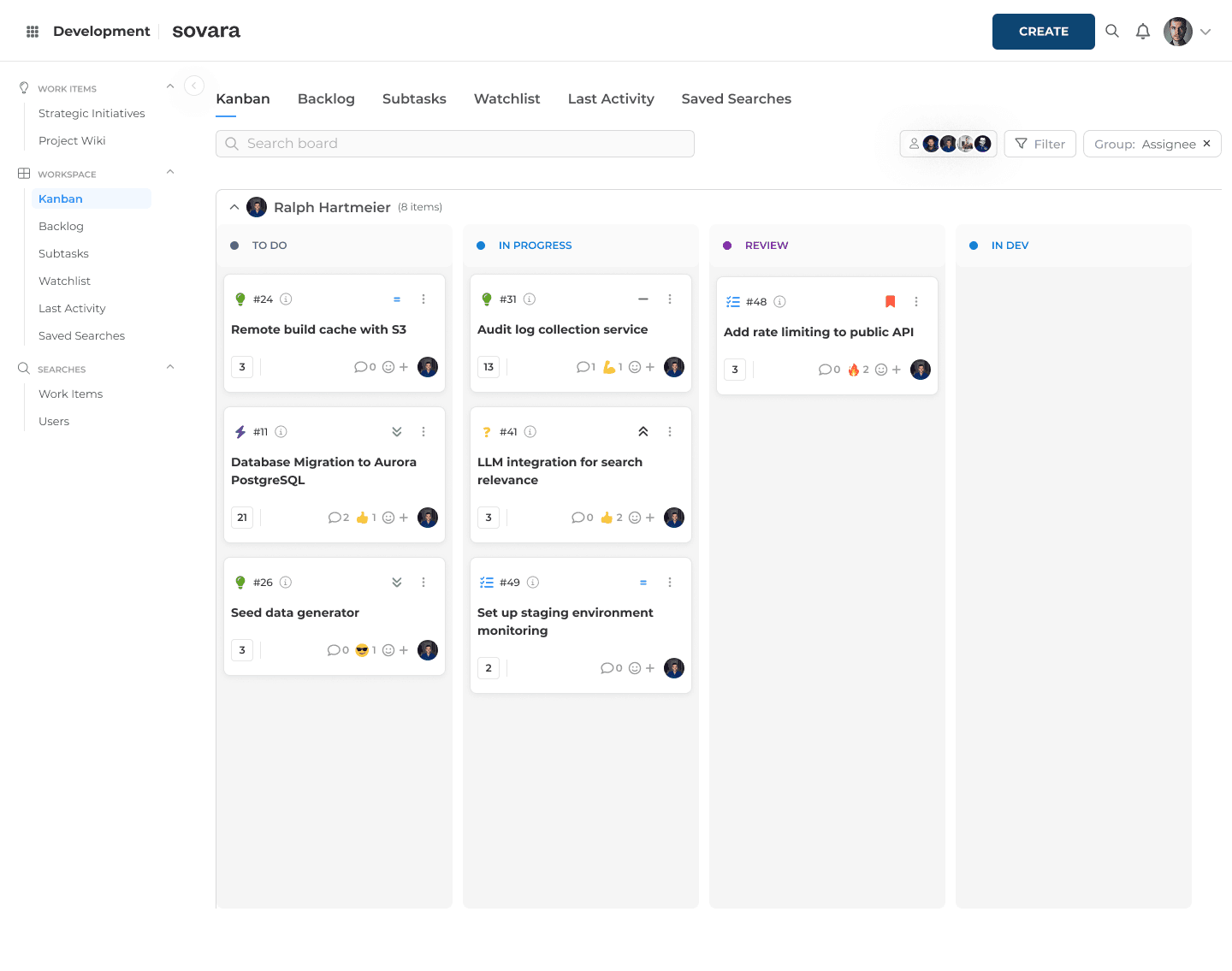
Wiki and tasks: the wiki in sovara is organized into spaces and page trees. Pages can be linked directly to work packages.
Permissions: read and write permissions can be set per page for users, roles and teams. That way a single page, say from HR, can be restricted without locking the whole space. Content can also be classified.
Language model: sovara supports three routes: your own model via your own endpoint, a hosted model, or a fully self-hosted model. AI can also be switched off entirely.
Operations and law: sovara can run as SaaS in a data center in Germany or in a private cloud. The contracting party is rready AG, based in Switzerland. rready is certified to ISO/IEC 27001:2022. How rready understands sovereignty across four dimensions is set out in the Trust Center.
Two limits apply regardless. If you connect a US provider's model in sovara, you bring its jurisdiction back in. And sovara doesn't yet support several people editing the same page at the same time in real time.
Three questions before go-live
Whether an answer still applies, which pages the AI sees and where it processes your knowledge: all three questions can be settled before the assistant is switched on. Otherwise the first week in production usually shows where the gaps are.
Reviewing every permission in a large wiki is a project of its own. For a first pilot, three steps are usually enough:
Enable the assistant only for selected spaces whose content and permissions you know.
Exclude pages that haven't changed in a set period, for example two years.
In the enabled spaces, look first for pages readable by anonymous visitors or by every signed-in user.
Also decide who maintains the content in each enabled space. And choose the operating model that fits your content before a vendor chooses it for you.
Discover how wiki, tasks and AI work together here.
FAQs
Which knowledge management software supports local AI models so that no data leaves the company?
Two conditions have to be met: the tool itself has to run in your own data center, so the index and logs stay there too, and it has to allow a self-hosted language model. sovara can be connected to a self-hosted model. Check with every vendor whether both conditions are met at the same time.
Is wiki content used to train AI models?
That depends on the vendor and the contract. For example, since August 2026, Atlassian has used metadata and content to improve its own apps and AI features. Content use can be switched off, metadata use only on the Enterprise plan (read more in detail in our post on Rovo ). So ask separately about content, metadata and logs.
Can an AI assistant read pages that contain personal data?
In principle, yes, if the processing has a legal basis under the GDPR and matches the original purpose. You'll usually need a permission and role model, a data processing agreement with the vendor and, depending on scope, a data protection impact assessment. In Germany and Austria, introducing the assistant may also require the works council's involvement, for example where the logs allow conclusions about employees' behavior or performance. Whether that applies has to be checked case by case.
What's the difference between knowledge management and a knowledge base?
Knowledge management is the whole task: capturing, organizing, sharing and maintaining knowledge. A knowledge base is a tool for it, the place where the knowledge lives.

Read more

Vendor lock-in in work management software and the Data Act
What the EU Data Act covers when you leave Jira, Confluence or other work tools, what it leaves open, and 7 questions to ask before you sign.

Jira cost in 2026: the real price of Jira and Confluence
Jira cost and Confluence pricing for 2026: Cloud and Data Center list prices, plus the apps, Guard and price increases a quote leaves out.

What the CLOUD Act means for European companies
The CLOUD Act follows the provider, not the server. What it means for work tools, and how to audit your stack in four steps.