Jira and Confluence: two tools or one platform?
Jira vs Confluence: how the two differ, what it takes to keep them connected, and when one platform for tasks and knowledge is the better fit.


The difference between Jira and Confluence is easy to see on a release page. The plan lives in Confluence, and the team tracks the work in Jira. Open the page and you’ll see what’s planned, followed by the linked Jira issues, their status, who’s assigned, and when they’re due.
Many teams have worked this way for years. It’s easy to take the integration for granted until you have to migrate.
Atlassian will end support for Jira and Confluence Data Center on March 28, 2029. As teams decide where their tickets and wiki pages will go, they also need to decide how requirements, tasks, and documentation will stay connected.
Jira and Confluence serve different purposes and complement each other. If you’re searching for “Jira vs Confluence” as part of a migration, the practical question is how much effort it takes to keep two tools working as one, and whether a shared platform would make that easier.
Key takeaways
Jira and Confluence complement each other, but remain separate products
Jira organizes tasks and workflows, and Confluence documents knowledge. The link between them has to work across product boundaries, including permissions, administration and licensing.
The cost of the integration shows most when something changes
Upgrades, test copies and migrations all mean checking links and Jira macros, and fixing them where needed. With Data Center ending, many organizations are heading for exactly that kind of change.
Atlassian bundles its products in the cloud
The Teamwork Collection combines Jira, Confluence, Loom and Rovo in one offering, but Atlassian builds it on the cloud. If you want to keep hosting yourself, the Teamwork Collection gives you no equivalent.
A shared platform has to prove itself in daily work
What counts is how tasks, knowledge and permissions work together. Six questions help you judge how integrated a system is in practice.
Take stock before you choose a tool
Which pages contain Jira queries? Which workflows depend on them? Once you know these links, you can estimate the migration effort and test successor systems against them.
Jira vs Confluence: what's the difference?
Jira runs the execution: tasks, tickets, sprints, bugs and approvals. Confluence holds the knowledge around it: requirements, decisions, manuals and meeting notes. In short, the difference between Jira and Confluence is the difference between doing the work and recording what it is based on.
The split is clear on paper. In daily work, the content is tightly connected. A requirement in Confluence describes what should be built, and the linked Jira issues show how far the work has got. In the other direction, the documentation explains why a Jira epic exists and which decisions sit behind it.
That close connection comes at a price. When requirements, decisions and tasks are spread across two products, links, permissions and queries have to stay aligned. Upgrades and system changes in particular show how much technical and organizational work this takes.
To users, the combination looks like one system. Behind it are two separate products, and a platform team that keeps them working together.
How Jira and Confluence are connected
Back to the release page with the Jira table. For the Jira Confluence integration to show current issues on that page, three technical building blocks have to work together.
First: the application link
It establishes trust between the two applications and lets Confluence query data from Jira. Each product ships its own version of the Application Links component. Atlassian documents which versions are compatible in a version matrix.
Second: the Jira macro
It queries the relevant issues in Jira and displays them on the Confluence page. By default, Confluence waits 10 seconds for a response. If a complex query takes longer, the macro can stop with an error.
Third: the stored references
The connection also depends on IDs and URLs stored in the systems. If these change, for example when an environment is copied, existing links can lose their targets.
On top of that come two permission models. Jira controls access through projects and permission schemes, Confluence through spaces and pages. The two have to match. Otherwise, someone can open the documentation but not see the Jira issues on it.
On Data Center, licensing stays separate too: each product needs its own user tier. Our breakdown of Jira costs shows how these expenses add up.
As a result, even simple admin tasks can need coordination. A new Jira project may also need a matching Confluence space, the right access rights and a link between the two.
The The release page is the visible result of several technical and organizational dependencies. For it to work as smoothly as users expect, a lot has to line up in the background.
Day to day, the connection holds
None of this means the integration causes constant trouble. It has been in use for many years and often runs reliably in mature installations.
That is a good argument for the combination. Confluence is a mature wiki with a large catalog of macros and apps, and Jira is firmly established in many development teams. Some organizations deliberately keep the administration separate, because Confluence is used across the company while Jira mainly serves development.
When the setup is stable, it’s easy to overlook the work that goes into keeping Jira and Confluence connected. That effort becomes more apparent during upgrades, testing, and migrations.
Where the connection breaks: upgrade, test copy, migration
Upgrades
Jira and Confluence have separate release cycles. Whenever you upgrade either product, you need to check that the integration still works.
You also need to check that every installed Marketplace app is compatible with the new version. In long-running deployments, checking app compatibility often takes more work than testing the integration itself. (We cover app compatibility in the six questions below.)
In one documented case from November 2023, application links stopped working after an upgrade to Jira 8.20.28. The issue affected Jira macros in Confluence as well as search and filtering.
Atlassian fixed the bug within a few weeks. Still, it shows that an update to one product can quickly break features in the other.
Atlassian also describes cases where, after an upgrade, Jira macros in Confluence can no longer find their application link. The application ID stored in the macro is out of date and has to be updated (Atlassian Support).
Users notice the problem exactly where they expect current information: the release page opens, but the embedded Jira issues don't load.
The test copy
An upgrade is often tested first in a copy of the production environment. The link between Jira and Confluence needs attention here as well.
Atlassian documents that links often break when both applications are copied to another environment. The new URLs no longer match the stored references. Depending on the situation, the application links or database entries have to be adjusted.
After copying Jira and Confluence into a test environment, teams need to reconnect the two applications and verify that the integration works. Many platform teams have automated those steps. Teams that still do them manually repeat the work with every fresh test copy.
Migration
What happens to the Jira macros embedded in Confluence pages when you migrate off Data Center? Each macro can end up in one of three states.
Live query: The page still pulls in current Jira issues and their latest statuses.
Snapshot: The page shows the issues and their statuses as they were at the time of export.
Broken reference: The new system can’t display the macro or find the issue or filter it points to.
The outcome depends on the platform you move to, how you migrate, and whether you replace Jira and Confluence together or in stages.
Our guide to Confluence alternatives covers what to check when migrating your wiki.
What the connection costs, and why waiting saves little
Changing as little as possible until 2029 sounds like the cheaper option at first. But the existing setup still needs maintenance and security updates. Each time, someone has to check that Jira, Confluence and the link between them still work as expected after the update.
Meanwhile, the deadlines are getting closer. Sales of additional Data Center licenses and expansions to existing customers end on March 30, 2028. Support for Jira and Confluence Data Center ends on March 28, 2029. If you want to keep vendor support after that, you need a successor ready in good time.
Waiting leaves the migration effort where it is and cuts the time you have to map dependencies, assess alternatives and test the move.
What the connection costs can't be stated as a flat figure. For a reliable estimate, you need data from your own installation:
Record the changes: How many upgrades and test copies happen per year?
Measure the integration effort: For the next two rounds, log the hours spent on application links, macros, references and the related tests.
Identify the affected pages: Which Confluence pages contain Jira macros?
Assess their importance: Which queries need to stay live, where is a snapshot enough, and which content can go? Estimate the checking and adjustment effort for each group.
Compare over the same period: Multiply the hours by your internal or external rates. Set the result against the operating, integration and migration costs of the alternatives.
What Atlassian itself offers
With the Teamwork Collection, Atlassian bundles Jira, Confluence, Loom and Rovo into one offering. The applications remain separate products, but they are sold together and connected more closely at a technical level. The collection is only available in Atlassian Cloud.
Teamwork Graph plays a central role here. This shared data layer links information from different applications and makes it available to Rovo, among others.
Content from Jira Data Center can be included as well, through a connector. That requires an Atlassian Cloud environment, though. The connector indexes projects, issues and comments, among other things, from the self-hosted installation. For more on the AI side, see our post on Atlassian Rovo.
When you connect your self-hosted installation, an Atlassian cloud service processes content from it. If your organization is regulated, include that processing in your regulatory assessment.
Financial entities in the EU may need to meet the requirements for third-party ICT services under the Digital Operational Resilience Act (DORA).
Critical infrastructure operators and other organizations covered by NIS2 may be subject to supply chain security requirements under the national laws that implement the directive.
In Switzerland, check which rules from the financial regulator FINMA apply to your use of the service.
In other jurisdictions, check the applicable national rules on outsourcing and supply chain security.
Any documentation, audit, or reporting obligations will depend on how your organization uses the service.
Atlassian's path to a more connected product world therefore runs through the cloud. For organizations that want to stay fully self-hosted and thereby fully in control of infrastructure and data, the Teamwork Collection offers no matching way to run it.
Six questions to ask before moving to one platform
Whether it's Atlassian Cloud, two separate tools or a shared platform, what matters is how well the solution supports your real workflows.
The release page with the Jira table makes a good test case.
Does the page query a second system? Even within one platform, a filtered list is a query. The question is whether it needs an additional product integration with its own authentication, version compatibility and error handling.
Is there one shared permission model?
Check how roles and groups work across pages and tasks. Can admin rights still be separated, so that a wiki team, for example, can manage its spaces without changing other teams' workflows?
3. How do user management and licensing work?
Find out whether accounts are managed centrally and how access to tasks and the wiki is billed. With separate products, different user counts, pricing tiers and contract terms can come into play.What happens to your existing links?
Ask to see, on one of your own pages, what survives the migration. Does it still show current issues, only an exported snapshot, or just a link?How are updates and exports handled?
Ask whether tasks and the wiki are updated together. Also check whether an export covers both, including the links between them.What do operation and exit cost over the full term?
Besides license fees, factor in administration, integrations, migration and a later switch. Get contract terms, price adjustments and export options confirmed in writing.
Two separate tools remain the better choice when only one side is the problem: some organizations only want to replace their wiki, others only Jira.
In a migration, another point often weighs more than the connection itself. Many Jira and Confluence installations have grown over the years with Marketplace apps. ScriptRunner scripts, test management, time tracking or diagram macros on Confluence pages don't automatically carry over to an integrated platform. Each of these extensions needs its own decision: migrate it, replace it or drop it.
The questions help bring these dependencies to light early and show which effort will remain after the switch.
Where sovara fits in this check
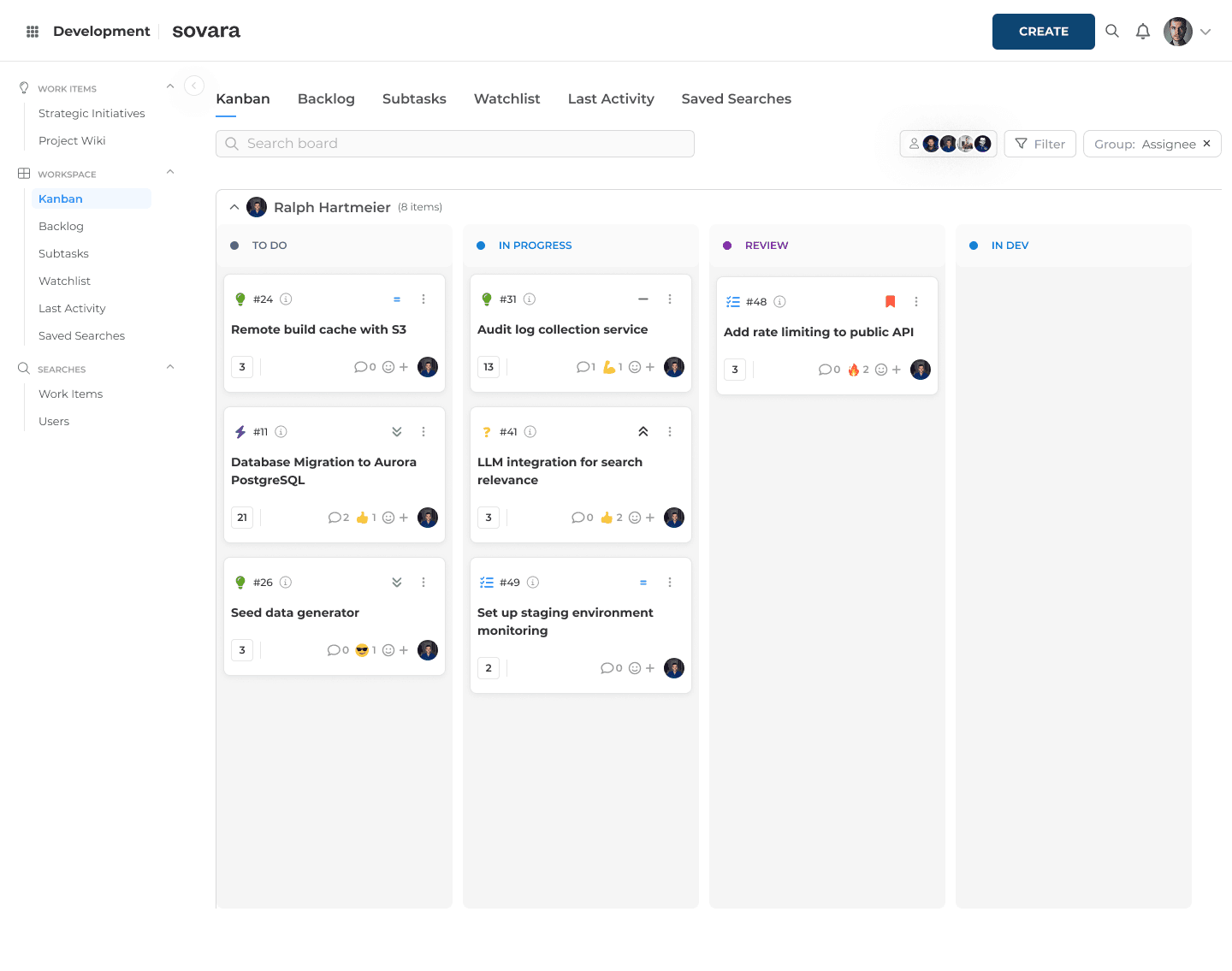
sovara is a European alternative to Jira and Confluence. In sovara, tasks, wiki pages and requests are the same kind of item. Search, reports, automation and permissions therefore work the same way for all of them. That tackles the effort of connecting tasks and documentation across two products at its source.
How well that fits your own installation should show against the same six questions.
Pages and tasks in one system
A wiki page in sovara can show its linked tickets or its child pages as a table (sovara wiki). Page and tickets live in the same system. No additional integration between the wiki and task management is needed for this.
Permissions and user management
Roles and admin rights are assigned per project. A wiki team can therefore manage its spaces without getting access to other projects' workflows.
Sign-in is via SSO, for example through Microsoft Entra ID. Accounts and groups can be provisioned from the identity provider via SCIM.
Upgrades, operation and export
rready hosts sovara’s EU SaaS offering in a data center in Germany. You can also run sovara yourself on your own Kubernetes cluster or on Red Hat OpenShift, in your data center or in a private cloud. For more on both deployment options, see the Digital Sovereignty Trust Center.
sovara ships in frequent, versioned releases with release notes, with bug-fix releases in between. An update covers task management and the wiki together.
When you self-host, you decide when to update. rready does not push updates. Each release is a fixed, numbered package with precisely defined component versions, so an upgrade can be repeated: first in the test environment, then in production. Most releases install without downtime. Each release comes with an automated test pack you can run right after the upgrade to check that everything works. Projects, workflows and automations can be exported from the test environment and imported into production.
Installation also works without internet access. Content can be exported via API or command line as JSON, with text kept in Markdown. Ticket lists can also be exported to CSV or Excel.
Automation, diagrams, time tracking and testing
Automation, test management, time tracking and diagrams are part of the platform, with no extra app licenses.
Automations trigger on events, for example when an item is created, changes status, is assigned or has a field changed. On top of that come scheduled jobs, script-based automations, webhooks to other systems and workflow buttons: moving an item to the next status with a click can start an automation. Existing ScriptRunner scripts are rewritten during migration. They can't be carried over one to one.
Diagrams in Mermaid, draw.io and BPMN sit directly on the page. draw.io diagrams have already been carried over in customer migrations. Gliffy diagrams are not carried over automatically, so export them separately beforehand. Miro boards can be embedded via a public board link.
For personal time tracking, users log time directly on a ticket or drag time blocks into a calendar. A weekly view shows their own time across all projects.
Test management is built in and evolving quickly. It is enabled per customer, without an extra license. Test cases with individual steps can be reused and grouped into test runs per release. During testing, each step is marked as passed or failed. Test coverage is visible directly on the feature ticket.
Migrating existing content
For standard Jira setups, rready offers a money-back guarantee on the migration. It covers tickets, workflows, automations and the core configuration. Plugins and custom code are excluded. The guarantee applies to the Jira migration. Confluence content is not included.
For the release page in our example, what matters, is how the existing Jira query is represented in the new system. sovara has its own query language, and saved Jira filters can be rebuilt in it. sovara can also show the tickets linked to a release page. How those links are created from an existing Confluence macro has to be clarified as part of the specific migration scope.
For a feature-level comparison, see sovara compared with Jira and Confluence.
Start with your own pages, then choose the tool
The release page stands for a part of your installation that doesn't appear in any license overview: the connection between tasks and knowledge that has grown over the years.
So get an overview before you compare vendors. With CQL, Confluence's query language, you can search for pages with Jira macros: macro in (jira, jirachart). The query finds pages with embedded Jira issues and with Jira charts. It doesn't cover page templates, so check those separately. Where available, add usage data from Confluence Analytics.
For each relevant page, record:
Which Jira query is embedded?
Which other Marketplace app macros does the page use?
Who uses the page, and for which workflow?
Does the display need to stay live in the successor system?
What would happen if the link disappeared?
This list is the basis for your effort estimate and your migration plan.
From it, pick 10 representative pages from different areas. Ask every successor system to show, on the same examples, how tasks, documentation and the links between them work after the switch, ideally in a test instance with your own data and before you sign a contract.
That way, you check in concrete terms whether a shared platform reduces the integration effort you have today and supports the way your organization works.
For how to structure the decision and the migration process as a whole, see our migration decision framework for 2029.
Frequently asked questions
What is Jira and Confluence used for?
Jira manages tasks, Confluence manages documentation. They are not the same product: both come from Atlassian and are licensed separately. Jira and Confluence can be connected through application links.
Is Jira or Confluence being phased out?
No, but the self-hosted versions are. Support for Jira and Confluence Data Center ends on March 28, 2029. Atlassian continues to develop the cloud versions. More about this in our post on the end of Atlassian Data Center.
Can you get Jira and Confluence in one tool?
Atlassian's Teamwork Collection is a joint cloud subscription, but the products stay separate. Other vendors, sovara among them, cover tasks and the wiki on one platform. For an overview, see our comparison of European alternatives to Jira and Confluence.
How much does Confluence cost on top of Jira?
Confluence is licensed separately from Jira, and on Data Center each product has its own user tier. You'll find a worked example for both products in our post on Jira costs.

Read more

Jira cost in 2026: the real price of Jira and Confluence
Jira cost and Confluence pricing for 2026: Cloud and Data Center list prices, plus the apps, Guard and price increases a quote leaves out.

What the CLOUD Act means for European companies
The CLOUD Act follows the provider, not the server. What it means for work tools, and how to audit your stack in four steps.

Shadow AI in approved software: what Atlassian Rovo shows
What exactly is shadow AI? Often an update to software you approved years ago. Using Jira Rovo as the example: what to check for your AI governance.