Atlassian Data Center End of Life: Migrate, stay or leave
Atlassian Data Center EOL lands March 28, 2029. See the verified timeline, what's in scope, the licensing math, and the three destinations now open to you.


Nobody in your organization deliberately set out to build a hugely complicated, self-hosted Atlassian set-up. It grew over time. A workflow to match how change requests get approved here, a permission scheme that mirrors the org chart there, a field that exists because an auditor asked for it back in 2017. One small adjustment after another, until the setup became deeply embedded in how the organization works.
And the reason for all of it sitting on servers you controlled was usually a good one: someone needed a straight answer about which country's law governed the data, or finance looked at the cost of cloud licensing per user, projected what that would mean as the company grew, and decided it wasn’t worth it.
For years that decision needed no defending. Renewal came around, someone signed it, and self-hosting stayed the conservative answer.
Then Atlassian put an expiry date on it. The clock in the licensing announcement starts in March 2026 and ends with a read-only Jira in March 2029, and a decision nobody had revisited in a decade suddenly has a deadline attached to it.
An advice market formed around those dates almost immediately. Search for Data Center EOL and you get a consistent answer across the first few search results: Data Center is ending, migrate to Atlassian Cloud, here is who can help you do it. The consistency is not suspicious on its own. It becomes interesting once you notice that nearly every source giving the advice is an Atlassian Solution Partner or a Marketplace vendor. The action they recommend is, of course, also the one they invoice for.
Atlassian's licensing page is blunt: to keep using its products, you have to move to cloud. Read a little further and there is a second line, which the guides almost never quote. Organizations with unusual requirements can ask for extended maintenance past the 2029 cutoff. Atlassian decides those case by case.
Atlassian Cloud is not the wrong destination. It is just not the only one. There are three, and here is what each involves, including the one nobody is paid to tell you about.
Key takeaways
The hard deadline is March 28, 2029, but the deadline that will actually hurt is March 30, 2028
On that date, existing customers can no longer buy more seats. If you grow after that, you cannot add anyone. The read-only date gets all the attention, while the seat freeze lands a year earlier and hurts sooner.
The scope is wider than Jira and Confluence, and two products people assume are affected are not
Bamboo and Crowd are in scope too, and Crowd is the one to check for: where it sits under your logins, a project scoped as "replace our ticket tracker" becomes a sign-on project too. Jira Align Data Center is exempt, and Bitbucket Data Center continues on a new hybrid license spanning Data Center and Cloud.
Staying on Data Center until 2029 does not automatically breach NIS2 or DORA
Neither EU law bans software that has passed end of life. Both ask you to list it, log it as a risk, put extra safeguards around it, and write down when you will move off it. Running it unmanaged is the breach, running it is not.
Atlassian Isolated Cloud changed the sovereignty conversation in June 2026, but only partly
Isolated Cloud gives you a private slice of storage instead of sharing space with every other customer. But you do not change which country's courts your supplier answers to. The servers are still AWS and the company running them is still American.
The real question is not where Atlassian wants you to go, it is which constraint put you on Data Center in the first place
If it was cost or convenience, Cloud is probably your answer. If it was about which country's law governs your data, no cloud run from abroad fixes that.
The Atlassian timeline
The dates below come from Atlassian's own Data Center end of life licensing page. Several widely shared summaries blur the 2026 and 2028 milestones together. They are, however, different milestones affecting different customers.
March 30, 2026: New customers can no longer purchase Data Center subscriptions or new Marketplace Data Center apps. This applies to new customers only.
March 30, 2028: Existing customers can no longer purchase Data Center subscriptions, Marketplace apps, or subscription expansions.
March 28, 2029: Subscriptions and any associated Marketplace apps expire. Data Center products and apps become read-only.
Through the 2029 date, Atlassian continues to provide technical support, security bug fixes for critical vulnerabilities, and connectors from Data Center products to Atlassian Cloud.
In scope: Jira Software Data Center, Jira Service Management Data Center, Confluence Data Center, Bamboo Data Center, Crowd Data Center, Data Center mobile apps, and both Atlassian and third-party Marketplace apps for those products.
Excluded: Bitbucket Data Center, which moves to a hybrid license instead, and Jira Align Data Center.
Option 1: Move to Atlassian Cloud
This is the path Atlassian built and the one its partner network is staffed to deliver. The migration assistants exist, the documentation exists, and the people who have accompanied a large-scale migration numerous times also exist. In the case that your company chose Data Center for cost or control rather than because a law required it, all that built-up experience is worth a lot, and the rest of this article is not an argument against going this route.
Atlassian Isolated Cloud became generally available in June 2026. It puts an organization's data in a dedicated environment instead of sharing storage with other Atlassian customers, though Atlassian's own documentation is careful to note that some underlying services stay shared, and that "Isolated Cloud" does not necessarily mean single-tenant. It is aimed at organizations with the strictest data-security requirements: banks, insurers, healthcare providers, defense contractors, pharma companies handling clinical data.
Atlassian Isolated Cloud runs in a dedicated AWS environment, but the company operating it, deciding what gets handed over, to whom, and under which country's legal process, is Atlassian, US-domiciled since 2022. This means that the legal questions that pushed many European organizations onto Data Center in the first place have not moved at all. We went into this at length in sovereignty washing: owning the hardware and answering to a court are two different things.
One thing worth naming: this door mostly swings one way. Moving from a system you run yourself into a managed cloud is far easier than moving back out again. That is not a reason to never migrate at all, but it is a reason to not let March 2029 make this decision for you by default.
Option 2: Stay on Data Center until it goes read-only
This option is treated as either unserious or reckless in most of the published advice. However, it is a legitimate, bounded choice that buys time, and for some organizations it is the correct one, temporarily.
The rules are more forgiving than the marketing around them suggests. NIS2 is the EU law on network and information security. DORA is the one on staying operational, and it applies to banks, insurers and their suppliers. Neither bans software that has passed end of life.
What both ask for is that you manage it. Keep a list of what is going out of support and when. Write the unsupported system into your risk register with a plan for it. Put extra safeguards around it. Set a migration date and record it. As Kristof Van Stappen puts it writing on NIS2: "NIS2 does not prohibit end-of-life systems; it prohibits unmanaged ones." The same reading holds for DORA. An unsupported system is a risk you have to write down and handle. It is not something you are banned from running.
Staying on Data Center has two hard limits, however. The first is the seat freeze on March 30, 2028, which is a constraint that most organizations underestimate. After this date you cannot expand a Data Center subscription, so any growth in headcount, any acquisition, any new business unit will simply have nowhere to go. If you decide on staying on Data Center until 2029, you are thus signing up to ride a frozen user tier through the final year of it.
The second is that once your Data Center subscription runs out on March 28, 2029, Atlassian stops fixing security problems too. This means that any dangerous flaw discovered after that date just stays open, unpatched, for good. On top of that, your system switches to read-only, meaning nobody can create tickets, update anything, or use it as a working tool anymore.
Option 3: Leave Atlassian
This third option is the option the partner content does not discuss, for reasons that are structural rather than sinister.
Leaving Atlassian can be very complicated and a lengthy process. Since there is no vendor-supplied migration assistant pointing away from Atlassian, the tooling and your migration plan is whatever your destination vendor has built. Switching vendors to escape lock-in can often relocate the lock-in rather than eliminating it entirely, unless the new vendor's exit path is contractually and technically sound.
The Marketplace is where this tends to get expensive. Here are three examples, since they are the ones that tend to come up most:
ScriptRunner. Custom code written against Jira's own internals. None of it can be imported as-is, and every script has to be rewritten in whatever the destination system uses instead. How long that takes depends entirely on how much of your business logic ended up in there over the years. For most estates this is the biggest single cost of leaving, since it has to be rebuilt by hand.
Tempo. A widely used Jira add-on for logging hours against tickets: how long someone spent working on a task, for billing, capacity planning, or project reporting. The configuration, how Tempo is set up across workflows, permission schemes, billing categories, approval rules and integrations, does not transfer automatically to a new system. The data is the better news: timesheet records export as clean rows of hours, users, and dates, so most systems import them without a fight.
Structure. The parent-child-grandchild views layered on top of Jira issues. Whether this survives depends on whether your new system handles deep hierarchy on its own or expects you to build it again. Ask that question during the evaluation of the new vendor's solution.
The general rule is that data tends to export easily, while configuration tends not to. An estate with twenty apps is rarely twenty difficult migration projects: usually, only two or three have complex workflows, integrations or custom configurations that make them hard to replace. The first step is to figure out which ones are actually difficult. And if a vendor will not help you understand that before you sign a contract, that is a warning sign.
Choosing to leave Atlassian is also the only option that changes the jurisdictional answer. And it isn't a fringe bet: a wider field of European Jira and Confluence alternatives has developed fast enough that even large-scale, government-adjacent coalitions have formed around moving off proprietary, non-EU tools. Schleswig-Holstein, a German state, has for example migrated more than 40,000 accounts off Microsoft, for exactly this reason.
Jira Data Center pricing, and the part nobody should quote you
Jira Data Center pricing works per user tier, which is why the March 2028 expansion freeze is a financial event rather than an administrative one. Your current Jira Data Center price sits on your last renewal quote. Start there. Then look at how many users you expect to have in three years. What happens when you reach the maximum tier and can no longer add users? That is the number you should be looking at today.
The other side of the comparison is not a quote, it is a choice between two ways of charging: per person, or one price for the whole company. Most options, Atlassian Cloud included, charge per person, so your bill grows every time you add another person. Some, sovara among them, charge once for the company and cover internal and external users in it.
Which one wins depends on your company size and growth. For example, at easy8's published price of EUR 13.90 per user per month, 600 internal users plus 200 external users would cost around EUR 133,000 per year, before add-ons. With a company-wide license, that cost would stay the same as the company grows.
The important point is that you can do this calculation yourself. Take your current renewal quote, add your expected growth, and compare it with the public prices of the alternatives.
What we are deliberately not doing here is giving you a migration cost. Every estimate we found was published by someone who bills for the migration. Migration depends on your actual setup: workflows, integrations, plugins, customizations and data. Any number we gave without seeing your environment would be little more than a guess. Ask any vendor for theirs, then ask what it excludes.
Where sovara fits, and where it does not yet
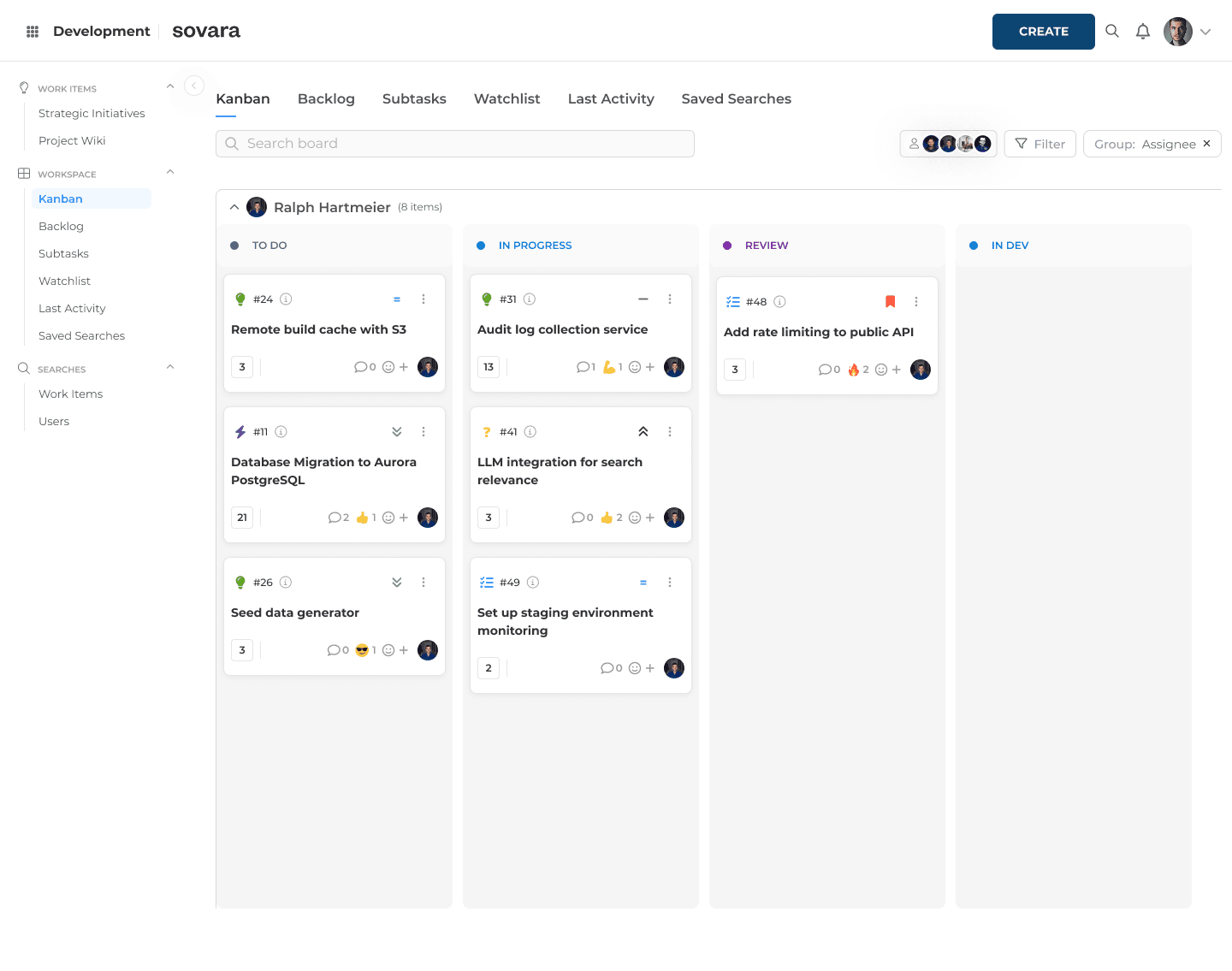
sovara is rready's European alternative to Jira and Confluence, built for the third option. You can run it as a hosted service, in a private cloud, or entirely inside your own firewall. That last one matters here, because running it yourself is the one option Atlassian stops offering after 2029.
On the identity side, sovara supports SAML and OIDC for SSO, integrates with Microsoft Entra ID, and syncs users from Active Directory or LDAP. Permissions can be managed at a detailed level, rather than through a small set of broad roles. Several sign-on setups can also be configured at the same time and routed by email domain, which Atlassian Cloud does not do, and which matters if Crowd is currently handling more than one directory for you.
sovara is developed by rready AG, headquartered in Zurich and incorporated under Swiss law. The platform is ISO/IEC 27001:2022 certified. You can find all relevant documentation in the Trust Center.
sovara also supports full workspace exports through API or command line in Markdown and JSON. The formats are open, so your data is not dependent on sovara to remain usable. The source code is also held by an independent third party.
Then there is the practical question: how does a Data Center migration to sovara actually run?
For Jira and Confluence Cloud, sovara ships an automated import. For on-premises and Data Center estates, the work runs through a hands-on process built around exports rather than a live connection into your Jira. That can be important for organizations whose security policies do not allow external migration tools to access their systems.
The process is not simply a button you press. Complex environments need to be tested, especially when they contain custom workflows, automation, plugins and scripts.
The same principle applies to the migration guarantee. It covers standard Jira data and configuration, including tickets, workflows, automations and core configuration, and it excludes plugins and custom code.
FAQs
When exactly does Atlassian Data Center reach end of life?
March 28, 2029 at 23:59 PST. Subscriptions and associated Marketplace apps expire on that date and products become read-only.
Can I still buy Data Center licenses?
It depends on whether you are already a customer. New customers lost the ability to purchase on March 30, 2026. Existing customers can purchase subscriptions, Marketplace apps and expansions until March 30, 2028.
Is Confluence Data Center end of life on the same timeline as Jira?
Yes. Confluence Data Center follows the identical schedule: no new customer purchases after March 30, 2026, no expansions for existing customers after March 30, 2028, and read-only from March 28, 2029. The same applies to Jira Service Management Data Center, Bamboo Data Center and Crowd Data Center.
Is Bitbucket Data Center affected?
No. Bitbucket Data Center is explicitly excluded and moves to a hybrid license instead. Jira Align Data Center is also excluded.
Does staying on Data Center until 2029 breach NIS2 or DORA?
Not by itself. Both frameworks require end-of-life software to be inventoried, risk-assessed, given compensating controls and covered by a documented migration plan.
Is Atlassian Cloud the only destination?
No. Atlassian's own licensing page notes that exceptions are possible for organizations with unique requirements, and moving to a different vendor entirely remains available. Atlassian Cloud is the path with the most tooling behind it, which is a real advantage and a separate question from whether it fits your constraints.
What happens to my data on March 28, 2029?
Products become read-only rather than being deleted. You retain access to read your data, but you cannot operate the system. Plan the export well before this date rather than relying on read-only access as a migration window.
What to do within the next twelve months
The 2029 date is far enough away to feel comfortable and close enough that the decision gets made for you if you leave it. The useful move now is not picking a vendor. It is separating the part of your Data Center decision that was a preference from the part that was a requirement, because for most organizations it was both, and the two halves have different answers. The preference half is a cost and convenience question that Atlassian Cloud answers well. The requirement half is a jurisdiction question that it does not answer at all, and no amount of dedicated infrastructure changes that.
Whichever way it lands, the work that makes the decision possible is the same: find out what your estate actually contains before anyone quotes you anything. We wrote about what that inventory involves here. It determines the difficulty of all three options, and the twelve months before the expansion freeze are the cheapest time you will ever have to do it.

Read more
What the CLOUD Act means for European companies
The CLOUD Act follows the provider, not the server. What it means for work tools, and how to audit your stack in four steps.

Shadow AI in approved software: what Atlassian Rovo shows
What exactly is shadow AI? Often an update to software you approved years ago. Using Jira Rovo as the example: what to check for your AI governance.

Confluence alternative: What to check before migrating
Can a Confluence alternative really replace your wiki? Six checks before you switch, comparing XWiki, Phonemos, OpenProject and sovara.