Confluence alternative: What to check before migrating
Can a Confluence alternative really replace your wiki? Six checks before you switch, comparing XWiki, Phonemos, OpenProject and sovara.


In many organizations, Confluence grew quietly in the background over the years. What started as one team keeping notes in a shared space gradually became templates, macros pulling Jira statuses into pages, and a web of excerpts and includes; so something like a privacy policy only had to be updated once, while the change appeared everywhere it was referenced.
At some point, Confluence became the company's memory. And for a long time, nobody had to think about how it all fit together.
Then Atlassian announced the end of Data Center, and cloud prices kept rising. Suddenly IT teams faced a question nobody had asked in years: is there a Confluence alternative that can carry all of this?
Search for one and you’ll mostly find top-ten lists, often written by vendors. The message is usually the same: choose a tool, import your content, done.
But anyone who has been part of or overseen an enterprise migration, knows that its rarely that simple.
Even Atlassian’s own move from Data Center to Cloud leaves things behind. According to Atlassian’s migration documentation, user macros need to be rebuilt, deprecated macros do not migrate, and whether Marketplace app macros can be migrated, depend on support from the respective app vendor.
That is why the question is not simply which tool can replace Confluence. It is whether a new system can preserve the way your organization actually uses it.
Before comparing vendors, it is therefore important to look inward first.
Key takeaways
How you use Confluence decides which alternative fits
Replacing a wiki full of specs and process docs is a different job from replacing one that runs on layouts, macros and live editing.
Data moves more easily than functionality
Pages and attachments usually make the move. The real work is in macros, app features and fine-grained page permissions.
AI makes a well-kept wiki more valuable and a neglected one riskier
Assistants repeat outdated pages as confidently as current ones and surface whatever overly broad permissions expose.
No alternative leads everywhere
XWiki is strongest on the editor, Phonemos on knowledge and search, OpenProject on project work. Every option has gaps you should know about before you sign.
sovara fits where knowledge and work belong together
Every page is also a work item with status and approvals.
What are the alternatives to Confluence?
Confluence alternatives generally fall into four groups, and not all of them are knowledge management tools in the traditional sense.
There are open-source wikis such as XWiki, BookStack, and Docmost; dedicated knowledge platforms such as the Swiss Phonemos; project management tools with built-in wikis, such as OpenProject; and integrated platforms such as sovara that replace Jira and Confluence alltogether.
Which category makes the most sense depends largely on how deeply Confluence is integrated into the processes of your organization.
What makes a good wiki
Before we get into discussing your Confluence instance, it’s worth taking a step back to ask:
What is a corporate wiki actually for?
While the answer sounds simple, it is surprisingly difficult to put into practice in everyday operations. A wiki is meant to store knowledge in such a way that the right person can find it at the right time and rely on it.
Atlassian's own research shows how often that goes wrong. In its State of Teams 2025 report, executives and teams alike say they spend about a quarter of their workweek searching for information.
Whatever the vendor, five qualities determine whether a wiki actually helps people find the information they need:
Findability: search should surface the right page based on meaning, not just matching keywords. And the structure should be clear enough that people can navigate without relying on search at all.
Currency: important pages should have a clear owner and a defined review date.
Reliability: readers should be able to tell whether information is current, still a draft, or outdated; and, where needed, which version was valid at a given point in time.
Close to the work: knowledge is most useful when it lives where the work happens. A specification, for example, should sit alongside the task it belongs to.
Easy editing: the harder it is to update a page, the less likely people are to do it. Friction in the editor eventually becomes gaps in the knowledge base.
Taking over today's content is only the start. A new system should do these five things at least as well.
How AI is changing the traditional company wiki
AI changes who reads a wiki. Increasingly, the reader is an assistant that assembles one answer from multiple pages at once. Atlassian's AI, Rovo, has been included in paid Confluence Cloud plans since 2025, and through an MCP server, a standard connector for AI tools, assistants from other vendors can read and create Confluence Cloud pages. OpenProject, Phonemos and sovara now have similar interfaces. Three things follow from that.
Upkeep matters more: An assistant uses an outdated page as confidently as a current one. The orphaned 2019 process description is back in circulation, just without its date.
Permissions matter more: An assistant searches everything a person has access to, more thoroughly than that person ever would. In a Gartner survey of 132 IT leaders in 2024, 40% had delayed their Microsoft 365 Copilot rollout by three months or more over exactly this kind of "oversharing": the concern that Copilot could surface documents shared far too widely. Moving your wiki is a chance to clean up permissions before an AI reads them.
AI becomes a sovereignty question: Which model answers questions about your wiki, where does it run, and who can switch it off? For organizations that run Confluence themselves to keep control of their data, it's the same question as hosting, one level up.
What Confluence actually does for you today
Atlassian itself recommends auditing your installed apps before a cloud migration, because teams often find that some apps go unused and others aren't business-critical. That holds for any switch. Five questions surface most of the surprises.
Which macros are used, and how often?
Confluence Data Center shows this under General Configuration > Macro Usage, though it leaves out pages the person running the query can't see. A macro on three pages is a footnote. A macro on three thousand pages is a migration project.
How many pages have their own permissions?
Fine-grained page permissions often don't carry over exactly. If access rules have grown organically over the years, recreating them in a new system can become a migration project of its own.
How many pages pull in content from Jira?
The tighter that link, the less this is a wiki-only project.
What's in your Confluence export?
In Data Center, an XML space export contains pages, comments and attachments, including restrictions. Data that apps store outside the pages is usually missing; Atlassian says Team Calendars, for one, aren't included. In the cloud, databases and whiteboards have to be exported one by one, and support for the XML export ends on December 1, 2026.
Which pages does anyone still read?
For Data Center, Atlassian provides an SQL query for the last view date. It goes back as far as your analytics data does, two years at most. Pages nobody opened in that time don't need to move.
Six checks for any Confluence alternative
1. What does the import carry over, and what doesn't?
Skip the question of whether a vendor can import Confluence and ask for the list of what it leaves behind. Test the import on your most difficult space, and ask for a report of everything that didn't come across exactly as it was.
2. How do several people work on one page?
Confluence Data Center allows twelve people on a page at once by default; in the cloud, live docs allow up to 40. If your teams write meeting notes or drafts together in real time, this is a hard requirement.
3. Can your permissions be mapped?
Check space and page permissions, directory groups and single sign-on. Simplifying them may be exactly what you want, but make that a decision, not a side effect of the migration.
4. Where does the data live, and whose law applies?
For many European organizations, particularly in German-speaking countries, data control was a key reason to run Server or Data Center in the first place. A European server location doesn't settle that question on its own. What matters is who operates the service and which jurisdiction that operator answers to.
5. How do you get out again?
Can you export all of your content without the vendor's help, and in which formats? If you're switching to escape lock-in, make sure you're not just moving it.
6. How does the system handle AI?
Which model powers search and the assistant, and can you connect your own, including a self-hosted one? Can AI be switched off feature by feature? Do answers respect page permissions? And who approves access when external AI tools connect?
Confluence alternatives compared
The following table compares three European alternatives and sovara with Confluence, based on vendor documentation as of October 2026. The sovara assessment is our own. For the full comparison, see sovara vs. Jira and Confluence.
Confluence (Cloud / Data Center) | XWiki | Phonemos | OpenProject | sovara | |
|---|---|---|---|---|---|
Real-time co-editing | Yes (Cloud live docs up to 40, pages up to 12; DC up to 12 people by default) | Yes | Yes, per vendor docs | In the "Documents" module, not in the wiki | No |
Reuse content across pages | Yes (Excerpt, include) | Yes (Include macro) | Yes (widget for embedding page content) | Yes (macro for including wiki pages) | Partly (fields from other pages) |
Compare and restore versions | Yes | Yes | Yes | Compares yes, restore not documented | Yes (switchable per space) |
Import from Confluence | - | Yes (Free basic import but migrator pro is paid) | Yes | No, only via XWiki integration | Yes (Carried out by rready) |
Pages linked to tasks and workflows | via Jira | Tasks via extension, project work via OpenProject integration | Tasks, Kanban/Scrumboards, Gantt; workflow automation announced | Yes (Native) | Yes (Native) |
AI | Cloud: Rovo, models from OpenAI, Anthropic, Google and open source models, selected by Atlassian; Data Center: no built-in AI | AI assistant (beta), own model possible | Semantic search, AI assistant with model of your choice (including self-hosted), MCP server | MCP server for external models | Model selectable per feature, including self-hosted; can be switched off; MCP server |
Hosting | Cloud: AWS, US vendor; Data Center: self-hosted, read-only from March 2029 | Open source, self-hosted or cloud in France | Swiss cloud, AWS region of choice or on-premises | Open source, self-hosted or cloud (AWS Frankfurt or EU instance at Scaleway) | EU and Swiss cloud or on-premises |
XWiki: the strongest editor among the open source alternatives
The French open source wiki (LGPL) comes closest to Confluence on the editor: real-time editing has been on by default since version 16.9, and macros and nested spaces are core to the product. openDesk, the sovereign workplace suite built for German public administration, also uses XWiki for knowledge management. The limits: page permissions don't carry over exactly, there are no backlogs or sprints, and if you're replacing Jira as well, you need a second tool. More in sovara vs. XWiki.
Phonemos: a Swiss platform built around knowledge and search
Phonemos is developed and operated in Switzerland, with an on-premises option. It has a Confluence import, semantic search, real-time editing (according to the vendor, for pages as well), embedded content and version comparison. Kanban and Scrum boards were added in July 2026, and workflow automation has been announced. Phonemos doesn't aim to replace Jira for development teams; it connects to it. More in sovara vs. Phonemos.
OpenProject: project work first, wiki second
The German project management tool has a built-in wiki, but real-time editing arrived in version 17.0 in the separate "Documents" module, not the wiki. OpenProject has no Confluence import. For demanding wikis, it points to XWiki, available since version 17.6 as a native integration on the Corporate plan. Replace Confluence this way and you end up with two systems. More in sovara vs. OpenProject.
Replace only Confluence, or Jira too?
After a move, a Jira macro on a Confluence page can stay a live query, freeze into a snapshot or end up as a dead link. If you replace only Confluence, the outcome depends on how well the new wiki talks to your Jira, and you'll maintain that bridge indefinitely. If you replace both, documentation and tasks can live in one data model. Ask each vendor to show you which outcome you get, using one of your own pages.
For background, see Jira as an operating system and our comparison of European alternatives to Jira and Confluence.
What does switching cost?
Confluence costs keep rising: Atlassian raised Data Center list prices by 15% in February 2026, and Cloud plans go up by another 7 to 10% from October 13, 2026. Compare both paths over three years using the same five line items:
Licenses, including announced price increases
Inventory, in internal person-days; you'll need it on any path, including a move to Atlassian Cloud
Migration per space, including rebuilding macros and app features
Training, in hours per person
Parallel operation, in months of running both systems
With sovara, one license covers wiki and tasks for the whole company, regardless of user count, with a three-year price guarantee. For a structured approach to the whole decision, see our migration decision framework for 2029.
sovara as a Confluence alternative
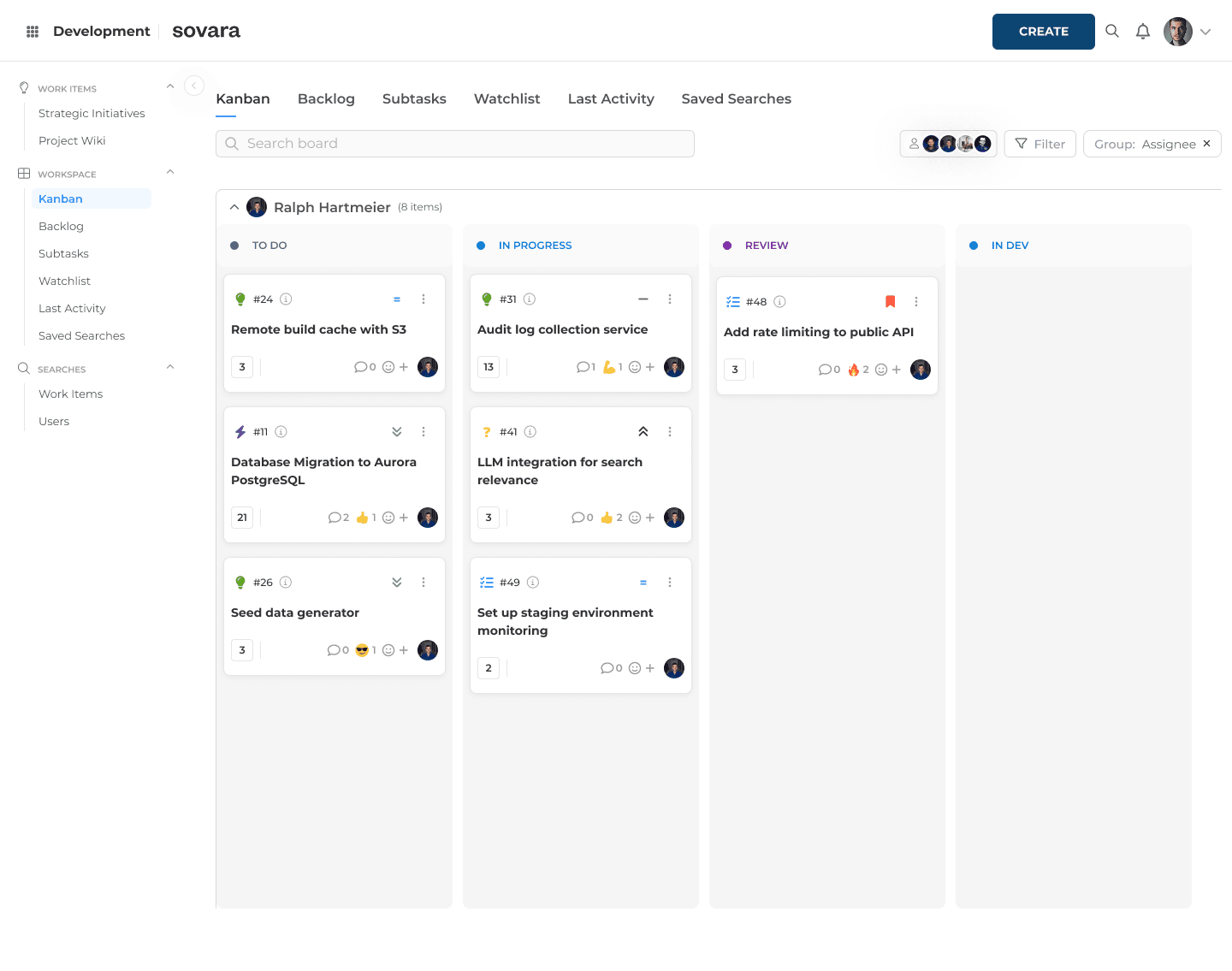
sovara replaces Jira and Confluence together. Pages, tasks and projects live in one data model, and every page is also a work item, with status, an approval workflow, subtasks and its own permissions. Documentation stays next to the work it describes, and there's no bridge between two systems to maintain. draw.io and Mermaid are built into the editor, and Office documents can be embedded.
That makes sovara especially strong for structured documentation tied to ongoing work: specifications, process descriptions and project documentation. On top of that come a Swiss contracting party, a free choice of AI model per feature, and a license that doesn't depend on user count.
Here's how sovara answers the six checks:
Import: our team handles it space by space; there's no self-service tool, and Gliffy diagrams arrive as placeholders. Automated migration of entire Data Center instances is on our roadmap; we'll name a date once it's set. The money-back guarantee covers standard Jira migrations, not Confluence.
Collaboration: comments, mentions and approvals happen right on the page; simultaneous editing of the same page is in the pipeline but not available just yet.
Permissions: single sign-on via SAML and OIDC, including Microsoft Entra ID, with several identity providers in parallel, each mapped to its own email domain, for example for subsidiaries. Users can be provisioned and synced via SCIM, Active Directory or LDAP, with directory groups mapped to roles in sovara. Roles apply at organization, project, workgroup and action level, and permissions set on a space carry down to every page under it automatically.
Hosting: your contracting party is rready AG in Zurich, with no US parent company and contracts under Swiss or EU law. sovara runs in the EU, in Switzerland or on your premises, and the infrastructure is ISO/IEC 27001:2022 certified. You receive the data processing agreement and the list of subprocessors before signing; details in our Trust Center. For EU organizations, Switzerland is a third country covered by an EU adequacy decision.
Exit: content can be exported through the API, optionally with comments, links and attachments, and the source code is held in escrow with an independent third party. sovara is not open source.
AI: you choose the model per feature, including a self-hosted one; every AI feature can be switched off individually or entirely, and external tools connect through an MCP server and the API. A self-hosted model keeps AI processing in-house; a model from a US provider doesn't. There's no writing assistant inside the page editor yet.
We check sovara requirement by requirement against Atlassian's own RFI questionnaire for Confluence Cloud. By our current assessment, sovara fully meets 127 of 159 requirements, about 80%, and partly meets 13 more; in June 2026 it was 112.
Inventory first, comparison second
There's no general answer to which Confluence alternative is best. There is an answer to which one covers what your Confluence does today. With macro usage, your app list, page permissions, Jira links and recently viewed pages in hand, ten options quickly shrink to a handful, and choosing an alternative to Confluence becomes a question a demo can answer.
If you'd like to see how one of your Confluence spaces could look like in sovara, schedule a demo.
FAQ
What are the alternatives to Confluence?
Open source wikis such as XWiki, BookStack and Docmost, knowledge-focused platforms such as Phonemos, project management tools with a wiki such as OpenProject, and combined platforms such as sovara. Which fits depends on how you use Confluence and how closely it's tied to Jira.
How long will Confluence Data Center be available?
New customers haven't been able to buy Data Center since March 30, 2026; existing customers can expand licenses until March 30, 2028. On March 28, 2029, the products switch to read-only mode. More in our post on Atlassian Data Center end of life.
Is there a free or open source Confluence alternative?
Searches for an open source Confluence alternative usually lead to XWiki, BookStack and Docmost. All three can be self-hosted for free in their base versions; add-ons such as Docmost's Business license or XWiki's Migrator Pro cost extra. An open license secures access to the code, but it doesn't settle who operates the system or which jurisdiction applies.
Is there a European or self-hosted Confluence alternative?
Yes: sovara from Switzerland, XWiki from France, OpenProject from Germany, and Phonemos. All four can run on your own infrastructure as a self-hosted Confluence alternative. Beyond server location, what matters is who operates the service.
Can you export Confluence content?
Yes, as PDF, Word, HTML, CSV or XML, depending on the version. In Data Center, an XML space export is the usual starting point for a migration; in the cloud, Atlassian recommends CSV export since support for XML export is ending.
Is Jira the same as Confluence?
No. Jira is the tool for tasks and projects; Confluence is the wiki. Because the two are often tightly linked, switching one usually affects both.

Read more

What the CLOUD Act means for European companies
The CLOUD Act follows the provider, not the server. What it means for work tools, and how to audit your stack in four steps.

Shadow AI in approved software: what Atlassian Rovo shows
What exactly is shadow AI? Often an update to software you approved years ago. Using Jira Rovo as the example: what to check for your AI governance.

Atlassian Data Center End of Life: Migrate, stay or leave
Atlassian Data Center EOL lands March 28, 2029. See the verified timeline, what's in scope, the licensing math, and the three destinations now open to you.